
 Threedy Documentation Portal
Quick start AR#
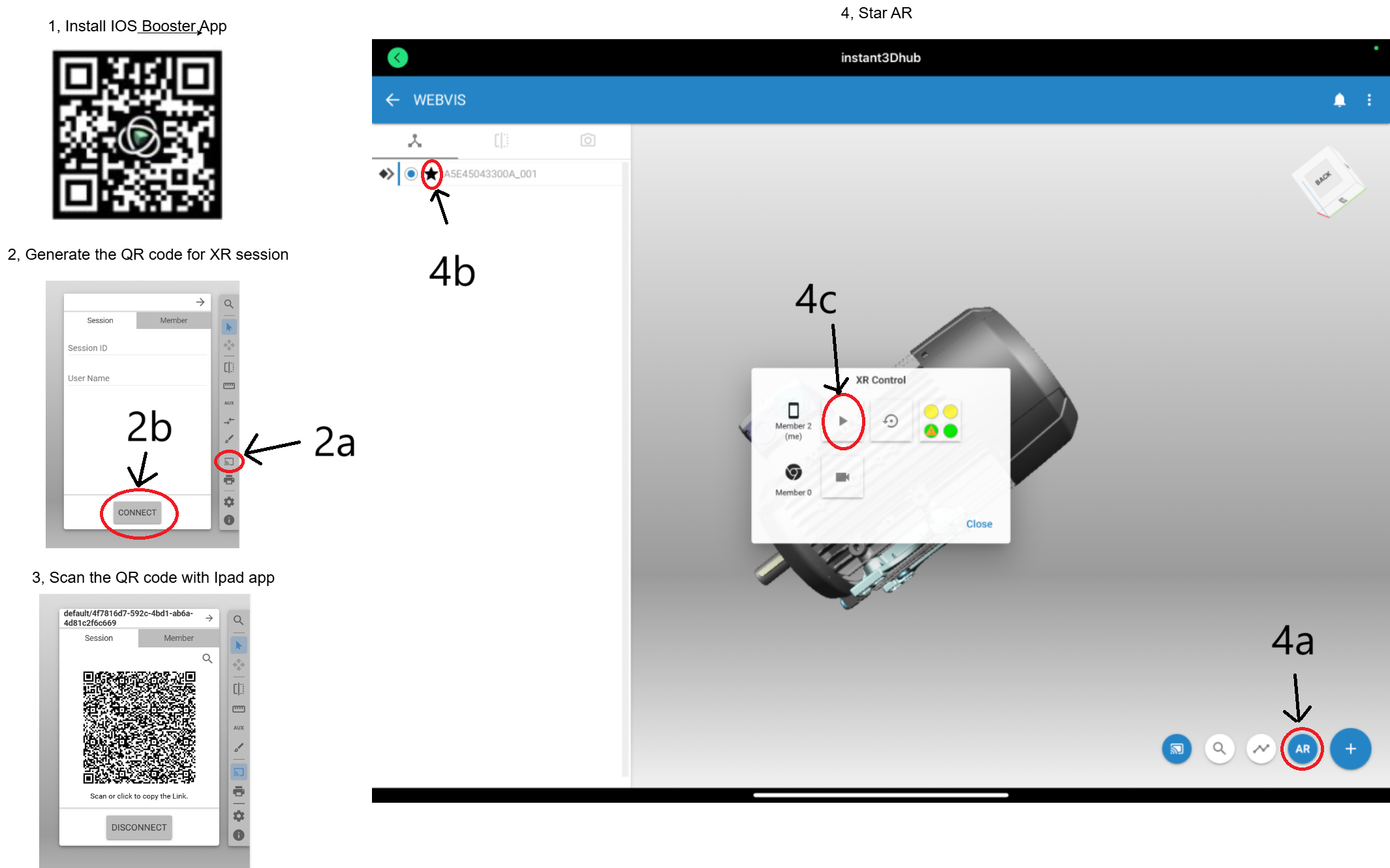
Install the instant3Dhub app on your iOS device. (The information about the app can be found here)
Open webvis in another device and generate a QR code for the AR session.
Click on
 .
Press “Connect” button. A QR code will appear.
Open the instant3Dhub app on your iOS device and scan the QR code.
Start AR.
Click on the “AR” symbol.
Mark the parts, which will be used for tracking by selecting the
 in the tree view.
Click on
 .