
 Threedy Documentation Portal
Horizon#
Horizon is the app for teams that review 3D data together. Design engineers, quality engineers and suppliers open the same model in the web browser. They find parts, measure, cut and add annotations, and they work on the model together in one 3DSpace.
Horizon ships with every instant3Dhub installation, next to the webvis app. The webvis app is the established app, and Horizon is in preview. Horizon offers many more customization options than the webvis app. Use Horizon for new use cases.
Open Horizon at https://<your-hub-instance>/repo/horizon/.
Note
The start page of the installation marks Horizon as Preview. Its tools and layout can still change between releases.
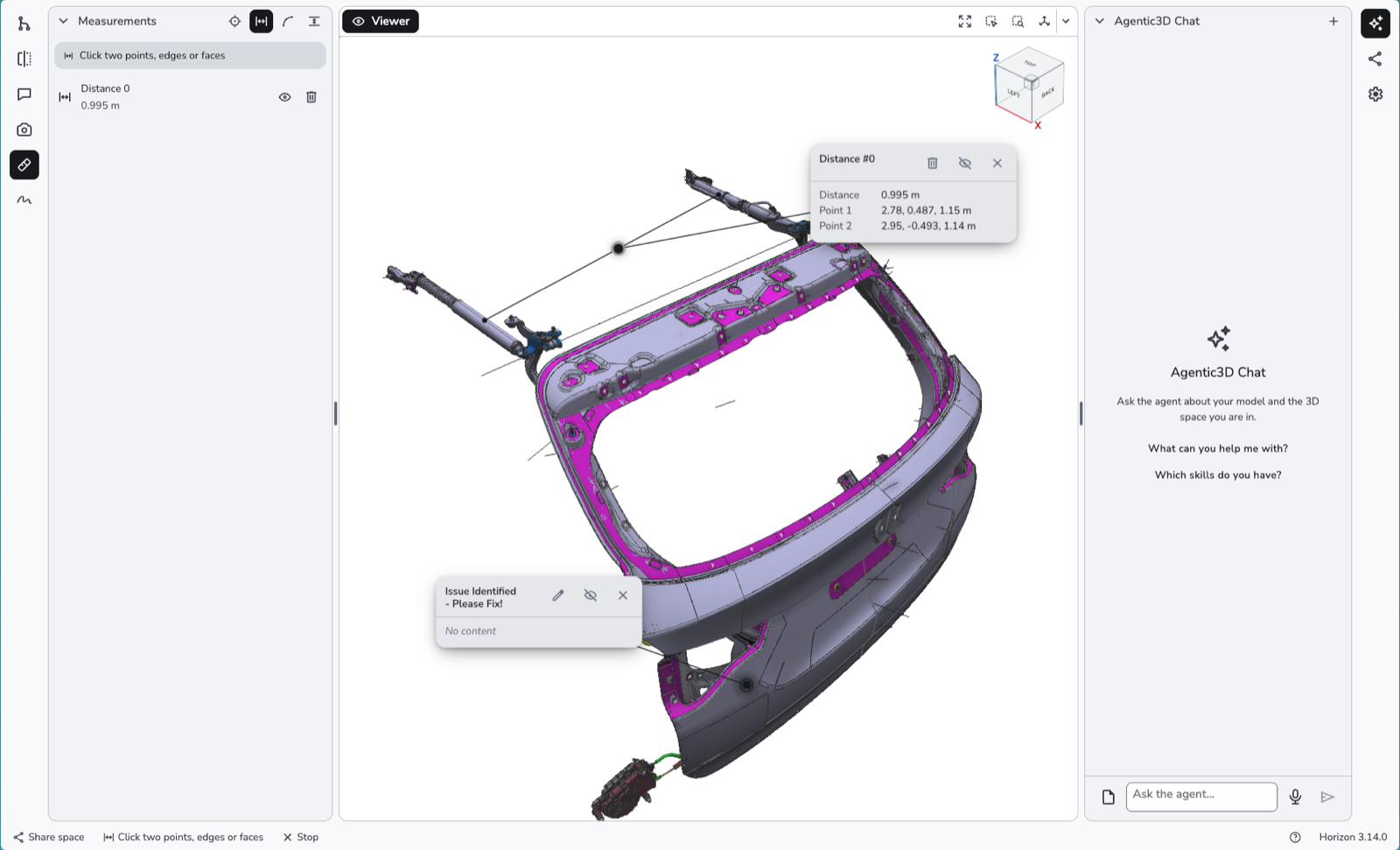
Horizon with a measurement, an annotation, and the Agentic3D Chat#
Extensions#
Each tool in Horizon is an extension. Horizon ships with these extensions:
Viewer: shows the 3D model.
Structure Tree: shows the product structure.
Metadata: shows the metadata of the selected part.
Model States: switches between the states of a model.
AUX Inspector: shows auxiliary data, for example PMI and model views.
Measurements: measures distances, angles, and more.
Clip Planes: cuts the model.
Annotations: adds notes to parts.
Drawings: draws on the 3D view.
Snapshots: saves views.
Space: shares the 3DSpace with others.
Members: shows who is in the 3DSpace.
InitData: opens the models from a link.
Agentic3D Chat: an agent that works on the model. See Agentic 3D.
Settings: sets the options of the app.
About Horizon: shows information about the app.